
When Shifts Are Organized, Everything Else Runs Better
Employee shift management software built to manage rotating shifts, employee schedules, and team availability across remote, office & overnight teams.
Start a Free Trial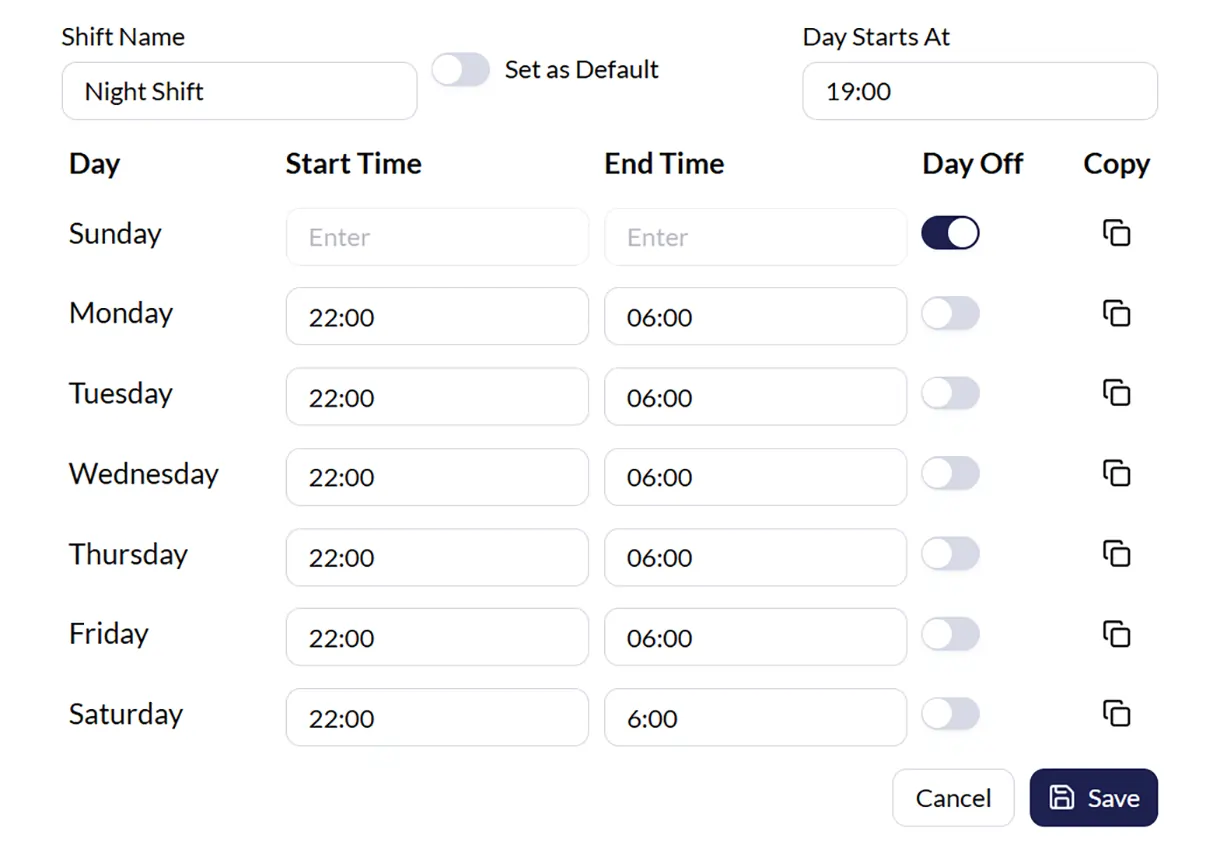
What is Employee Shift Management Software?
Employee shift management software makes it easier to handle employee schedules, shift timings, and team availability across daily operations.
With Monitor360, managers can create shifts, assign schedules, and manage employee availability in a more organized way.

Everything You Need for Better Shift Management
Manage employee shifts, work schedules, and team availability in a more organized way while keeping every shift easy to track and manage.
Create Flexible Shift Schedules
Create shift schedules based on your team’s work hours and daily operations. Manage morning shifts, night shifts, rotating schedules, and weekly offs while keeping employee schedules organized across every team.
- Morning, evening, and night shifts
- Rotating schedules
- Weekly offs
- Flexible work timings


Assign & Manage Employee Shifts
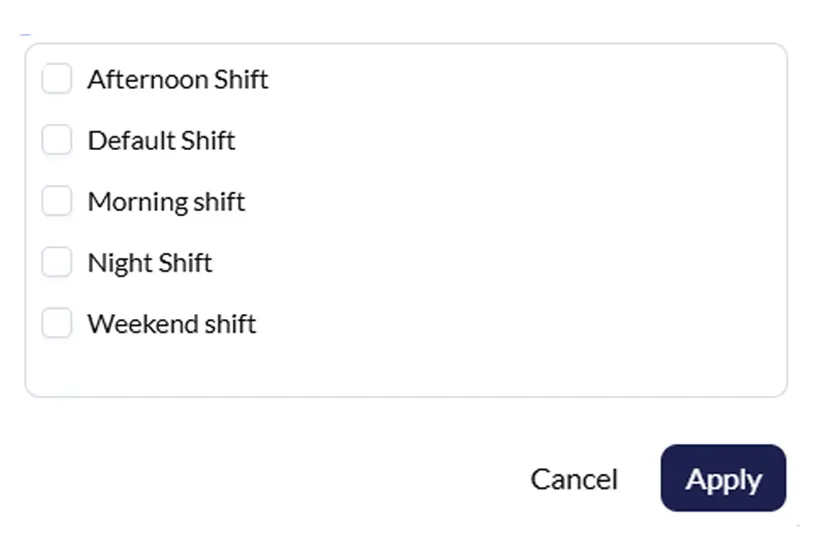
Assign employee shifts, update work schedules, and manage team availability with a simpler staff scheduling process. Keep employee work hours organized across remote teams, office teams, and overnight operations.
- Assign shifts in a few clicks
- Update schedules anytime
- Manage teams by shifts
- Keep schedules organized
Shift Based Productivity Insights
Track productivity based on employee shift schedules and assigned work hours for better visibility across every team. Monitor360 helps managers understand employee activity according to scheduled work hours throughout the day.
- Track work hours by shift
- Monitor team activity
- Better visibility across schedules
- Understand productivity patterns

Benefits of Better Shift Management
Keep employee schedules, shift timings, and team availability organized across every work hour.
Keep Teams More Organized
Manage employee shifts, rotating schedules, and work hours in a cleaner and more organized way.
Better Workforce Control
Manage employee schedules and teamwork hours with better structure across different shifts.
Reduce Scheduling Confusion
Keep shift timings, work schedules, and employee assignments easy to manage and update.
Better Productivity Tracking
Track productivity based on employee work hours and assigned shift schedules.
Easier Staff Scheduling
Create shift schedules and manage employee availability without manual coordination or messy planning.
Built for Leaders Managing Multiple Work Schedules
Different teams work in different ways. Some manage fixed schedules, while others handle rotating shifts, overnight work hours, and changing employee schedules. Monitor360 helps keep everything organized across every shift.
Customer Support Teams
Manage support schedules across morning, evening, and night shifts while keeping teams organized throughout the day.
Remote Teams
Keep employee work schedules organized across remote teams working from different locations and timings.
IT & Development Teams
Manage flexible work hours, rotating schedules, and project-based teams more easily.
BPO & Call Centers
Handle employee shift scheduling across large teams working in multiple shifts and overnight operations.
Agencies & Service Businesses
Organize employee schedules across different projects, clients, and changing work hours.
HR Teams & Operations Managers
Create shift schedules, manage employee availability, and keep workforce scheduling easier to handle as teams grow.
Everything You Need to Manage Workforce Better
Explore more workforce management features built to help teams stay productive and organized.
Productivity Dashboard
Get a complete view of employee activity, productivity, and team operations in one place.
Live Screen Monitoring
View employee screens in real time for better operational awareness during work hours.
Productivity Reports
Track team productivity with detailed reports based on employee activity and work hours.
Timesheet Management
Manage employee work hours, attendance, and daily time tracking more efficiently.
Project & Task Tracking
Track projects, assigned tasks, and team progress across daily operations.
App & Web Usage Tracking
Understand how employees spend work hours across apps and websites during shifts.
Frequently Asked Questions
Employee shift management software helps businesses create shifts, manage employee work hours, and keep team schedules organized.
Yes. Monitor360 lets businesses create rotating schedules, overnight shifts, weekly offs, and different work timings based on team needs.
Monitor360 tracks productivity according to assigned work hours so managers can better understand employee activity during scheduled shifts.
Yes. Monitor360 helps businesses manage employee schedules across remote teams, office teams, and teams working in different shifts.
Admins, HR teams, managers, and team leads can create shift schedules, assign employee shifts, and update work timings easily.
