


Turn Trello Into Powerful Time Tracking Software
Stop guessing where your team’s time goes. Monitor360 turns Trello into advanced, automated time tracking software. It boosts billing accuracy, project visibility, and team productivity.

Why Trello Needs Advanced Time Tracking
Trello is fantastic for managing tasks. Simple, visual, and flexible. But what about tracking time? That’s where most teams hit a wall.
That’s why you need a powerful Trello time tracking integration like Monitor360.
Creative agencies, marketing teams, freelancers, and growing businesses often struggle with:
-
Inaccurate client billing
-
Manual time logging
-
Limited reporting
-
No productivity visibility
-
Poor project cost control
How to Set Up Trello Time Tracking with Monitor360
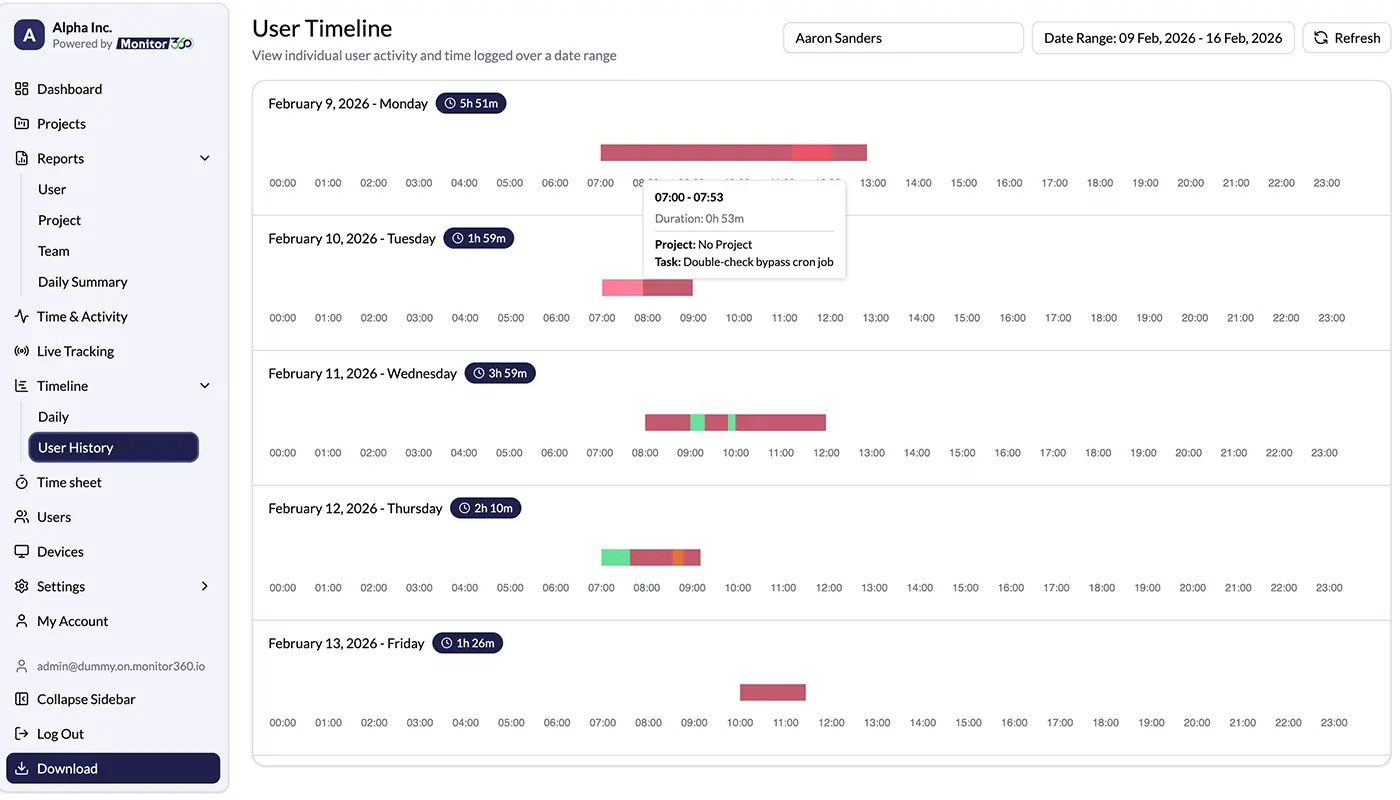
Automatic Time Tracking
Monitor360 makes tracking time in Trello easy and accurate.
-
Every Trello card becomes a trackable task
-
Team members are not allowed to stop timers or log time manually
-
Add notes for billing and mark hours as billable or non-billable
Project Overview Reporting
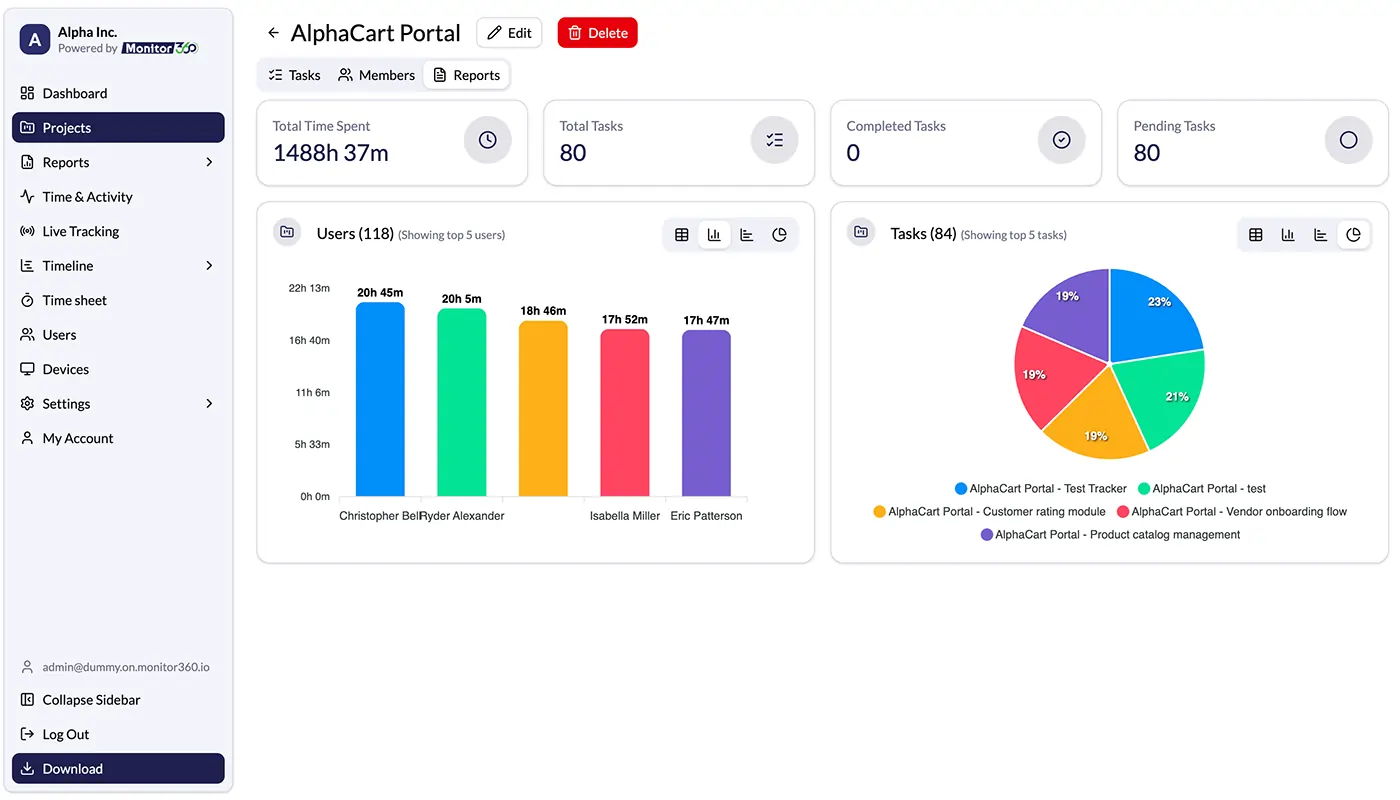
In Trello, each project is managed on a board. Monitor360 gives you a clear overview of the entire project in one place.
-
The total time spent
-
How much of the budget has been used
-
Time spent in each stage (To Do, Doing, Done)
-
How work is divided among team members
Productivity Monitoring
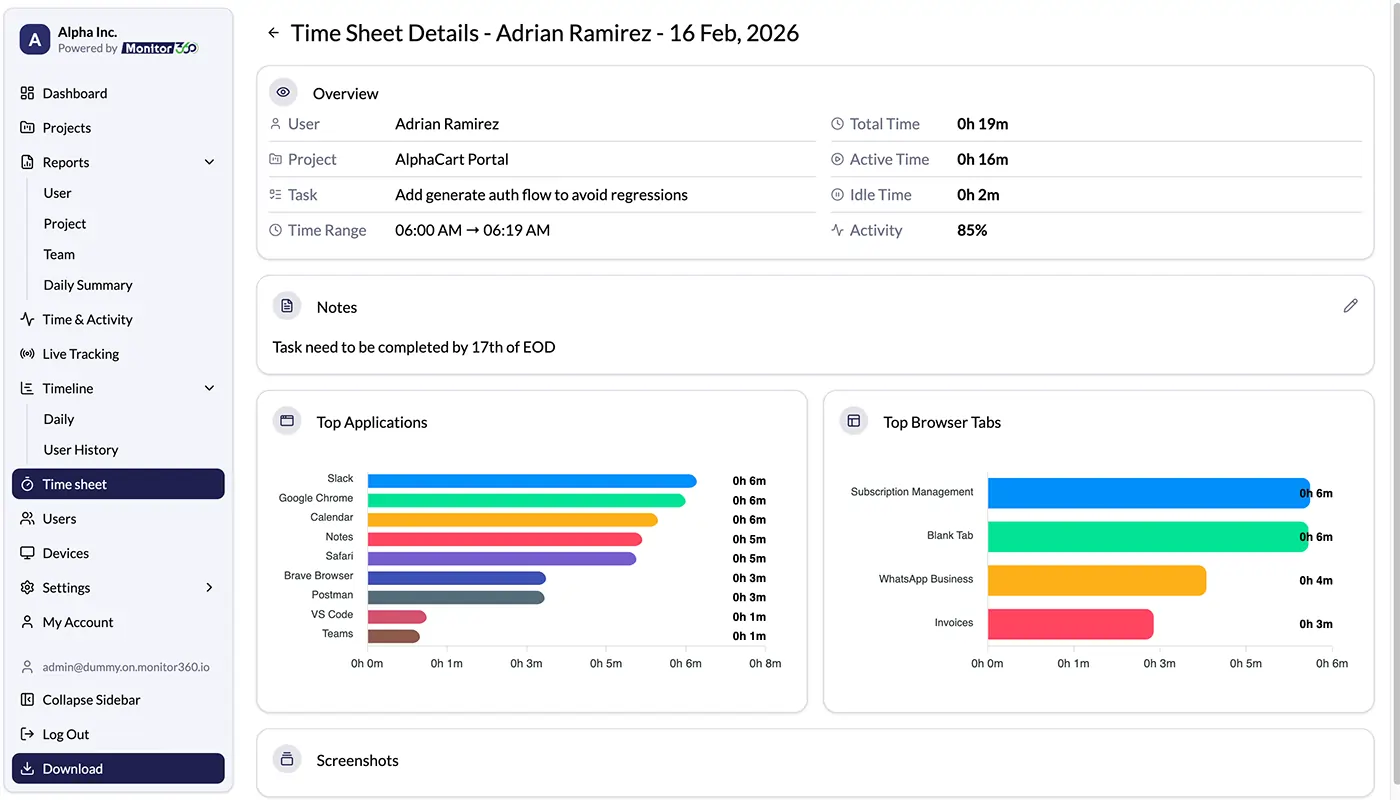
Productivity is not just about how many hours people work. Working in a smart and balanced way is what it’s about.
-
See if someone has too much or too little work
-
Find problems that slow down progress
-
Notice team members who are underused
-
Track active time and idle time
Exportable Timesheets
Billing and payroll shouldn’t be complicated.
Monitor360 creates clean, export-ready timesheets in many formats. They are ready for:
-
Client invoicing
-
Contractor payments
-
Internal performance reviews
-
Financial reporting
Who Should Use This Integration?
Monitor360 is designed for leaders. If you love Trello and want precise time tracking with activity monitoring, ideas, and screenshots for proof, Monitor360 is for you.
Creative Agencies
Track time by client, campaign, and deliverable. Improve billing accuracy. Protect your margins.
Marketing Teams
Measure campaign effort. Compare time spent vs results. Improve future planning.
Freelancers
Track every billable minute without manual effort. Increase revenue without increasing workload.
Small to Mid-Sized Businesses
Gain visibility across teams. Control project budgets. Improve accountability.
Frequently Asked Questions
Find answers to common questions quickly. Get clear information on Trello and Monitor360 integration to resolve issues and understand our services.
Trello has no built-in monitoring tools. Monitor360 works with Trello to track time, activity, and productivity for each task.
Trello manages tasks but does not measure employee productivity. Monitor360 provides detailed productivity analytics.
Yes. Trello supports collaboration. When integrated with Monitor360, it also supports remote employee monitoring.
Connect Trello with Monitor360 to track time on tasks automatically. Analyze productivity with clear, simple reports.
Monitor360 helps Trello users track task progress. It monitors activity and shows performance reports.
Monitor360 connects employee activity data to Trello cards. It then creates detailed productivity reports.
Use Monitor360 dashboards to review employee performance metrics linked to Trello tasks.
Trello is a task management tool. Businesses may need employee monitoring software like Monitor360 to see their whole workforce.
