
Monitor real-time performance, identify bottlenecks, and coordinate team workflows efficiently.
Workforce Management
Real-Time Workforce Productivity Dashboard for Smarter Work
Monitor your team’s performance with a real-time tracking dashboard. Track project progress, time spent, and key metrics to identify trends, remove blockers, and boost efficiency across teams.
Track - Analyze - Improve Performance
Book A Free Demo!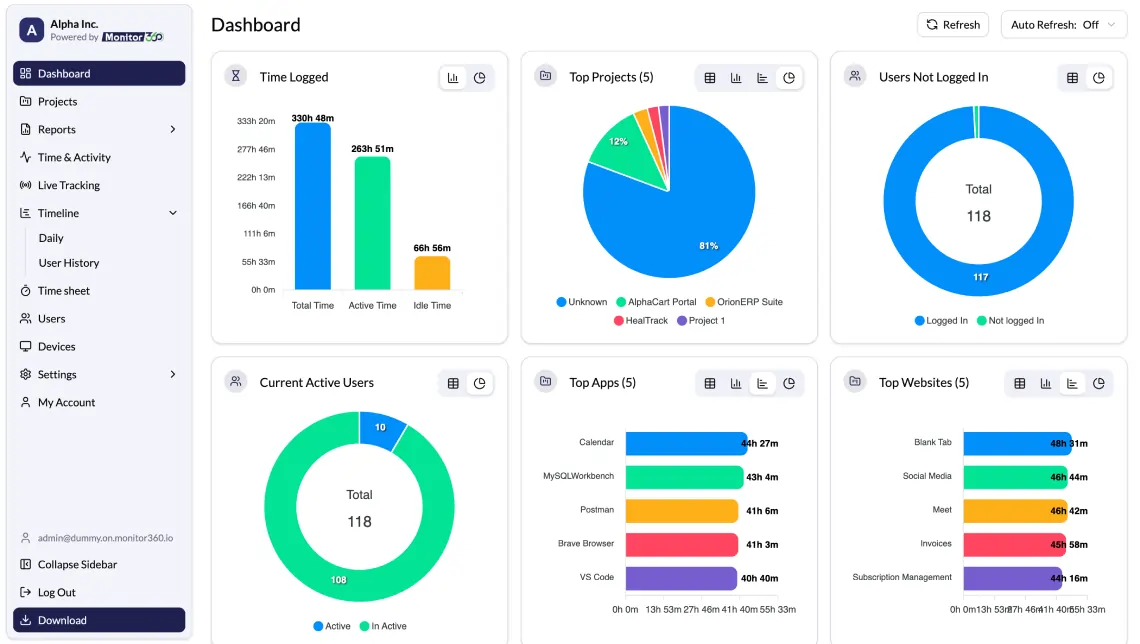
Smart Monitoring Solution
Productivity Dashboard That Solves Workplace Challenges
Reduce Time Theft
with accurate activity tracking
Automated Time Tracking
without manual effort
More Focused Work Time
using productivity insights
Complete Projects Faster
with better planning and visibility

Team Management
What Is a Productivity Dashboard?
An workforce productivity dashboard is a visual tool that shows how work progresses across teams. You can track time, tasks, output, and engagement in one place. Managers, HR, team leaders, and executives use the dashboard to guide decisions. The goal is to turn productivity data into clear actions, especially for remote and hybrid teams.
Key Features
Workforce Productivity Dashboard Features That Drive Results
Monitor360 dashboard provides instant, accurate performance insights and automatically updates data every 5 minutes.
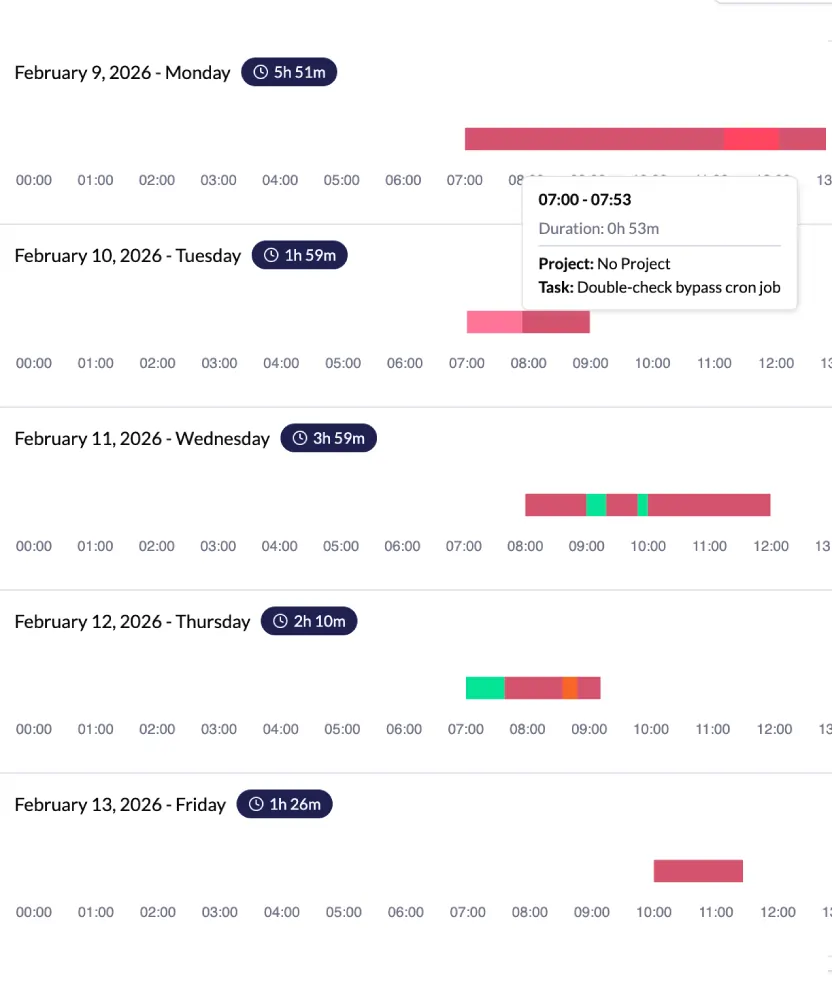
Real-time Activity Tracking
Monitor your team’s tasks and work patterns in real time to uncover productivity trends and identify gaps.
Employee Attendance Tracking
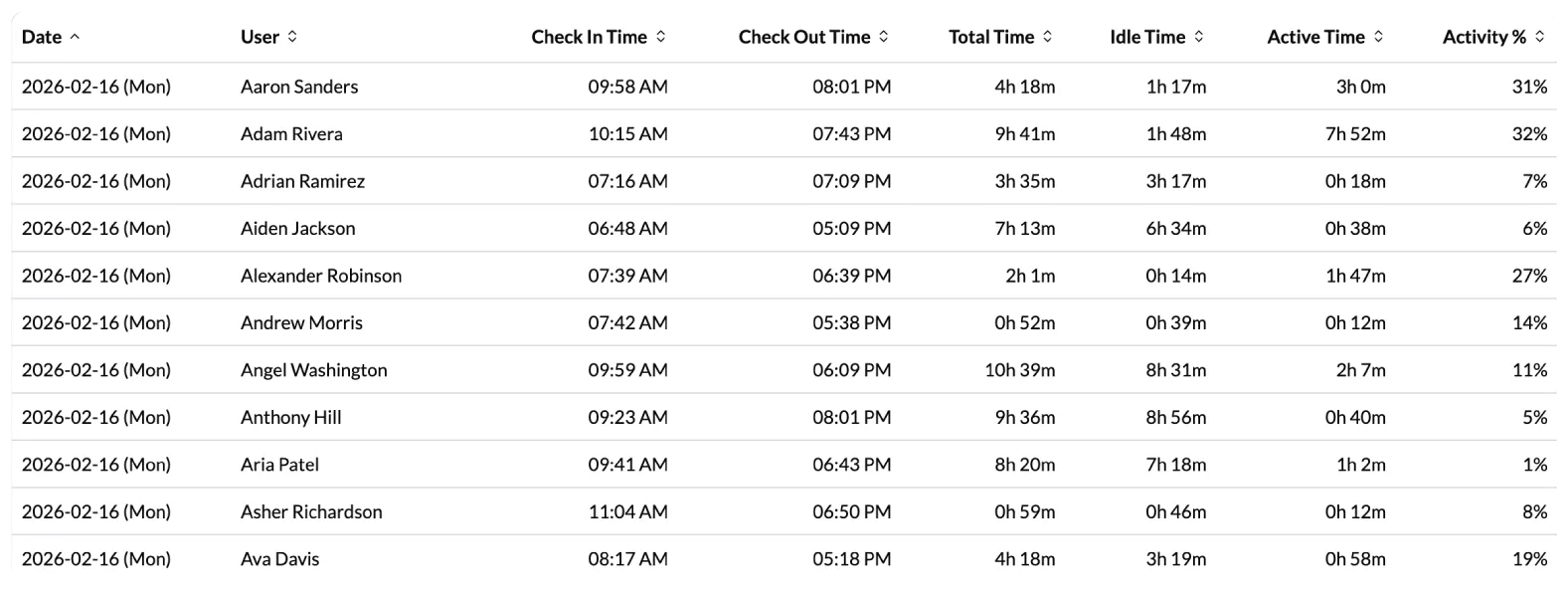
Track employee attendance, breaks, and availability to ensure workflow continuity and accountability.
Automated Time Tracking
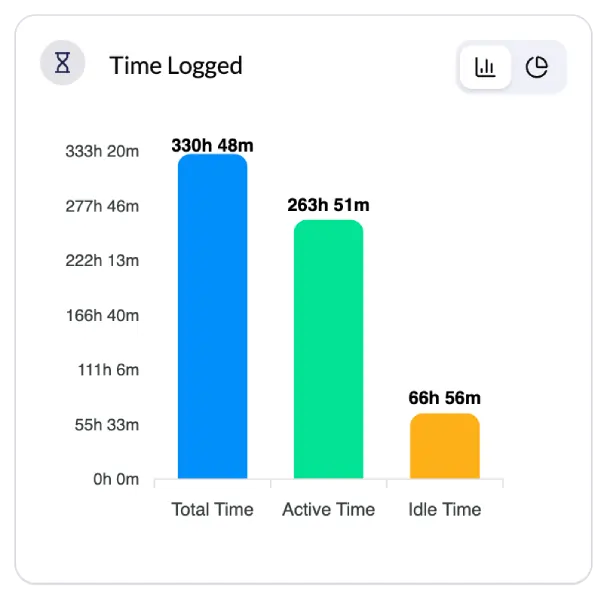
Track work hours automatically as employees work, reducing manual entry and errors. Capturing active time to give accurate productivity insights.
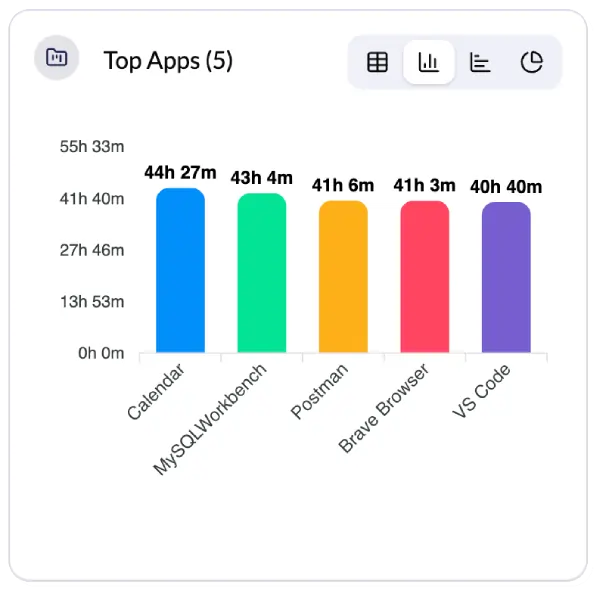
Application & URL Usage tracking
See which apps and websites your team uses during work hours to spot distractions and optimize focus.
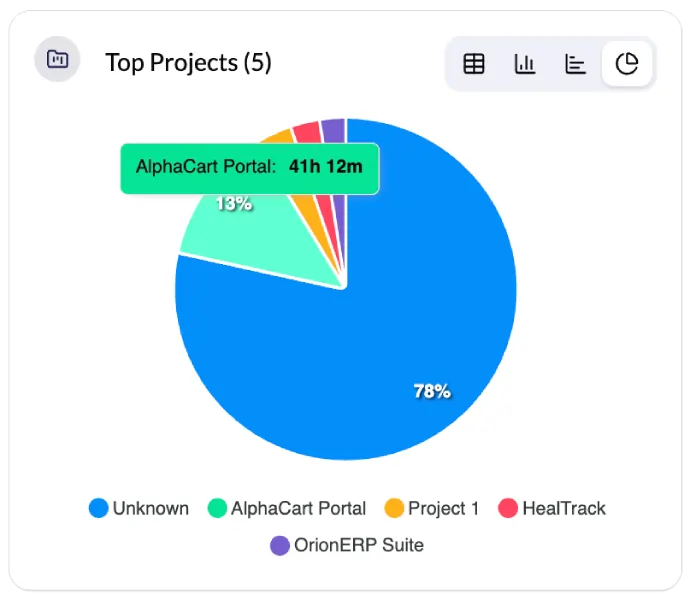
Project Time Tracking
Monitor how much time the team spends on specific projects to improve planning and resource allocation.
Performance Monitoring
Key Productivity Metrics to Make Smarter Decisions
Without manual reporting or micromanaging easily get idea of your workforce for better planning and business insights
Total Time Logged
Track employee and team time across all activities and projects. Ensure complete workforce hour accountability and calculate accurate payroll and project costs.
Active Time
Measures productive working hours when employees engage actively. Identifies productivity levels and helps distinguish between work time and idle periods for performance optimization.
Idle Time
Automatically detects periods of inactivity and non-productive time. By setting interval time for specific users that helps identify opportunities to reduce time waste and improve employee engagement.
Employee Login Status
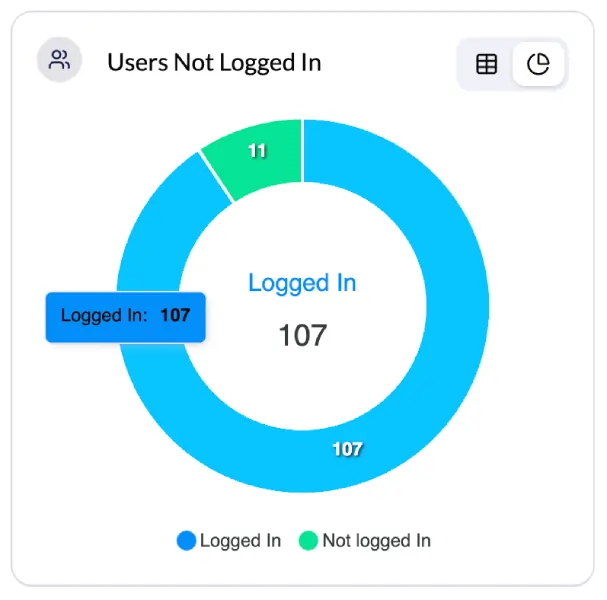
Tracks real-time workforce availability: Available Employees , employees on leave and employees in break for task coordination and attendance monitoring.
Project Distribution Time
This shows how many hours the team spent on each project. It helps improve resource use, track progress, and ensures that teams deliver projects on time.
App & Website usage patterns
Tracks top software apps and websites used by employees, showing time spent. Helps monitor productivity, identify key tools, and reduce time-wasting apps or sites.
Leadership Benefits
Why Your Business Needs a Workforce Productivity Dashboard
Improve your team performance and productivity without stress and micromanaging.
-
Gain Full Visibility Into Team Activity
-
Make Data-Driven Decisions Faster
-
Improve Accountability and Focus
-
Optimize Resources and Workflow
-
Support Remote and Hybrid Teams Easily
-
Ensure Secure and Time Theft
Use Cases
Who Benefits Most from a Productivity Dashboard
Employee productivity should be effortless to track whether they are working from home , hybrid or in-office.
Project Managers
Analyze time spent on projects, optimize resource allocation, and improve on-time project delivery.
HR Professionals
Track attendance, breaks, and leave, generate accurate timesheets, and ensure workforce accountability.
Managers & Team Leaders
Executives
Gain high-level workforce insights, make data-driven decisions, and optimize company-wide productivity.
IT/Admin Teams
Monitor app and website usage, reduce distractions, and ensure employees use approved productivity tools.
FAQ.
Quick Answers to Productivity Questions
Get clear answers about workforce analytics dashboard features, benefits, and applications.
Monitor360 captures data from an employee's desktop screen like application usage, website visits, keyboard/mouse activity and ideal time duration.
Yes monitor360 gives active work time and ideal work time making it differentiate between productive and unproductive time tracking dashboard.
Yes, Monitor360 supports remote and hybrid teams. The system tracks activity and time whenever employees start work or projects from any location at any time helping you manage work easily with detailed daily reports in email without micromanaging.
Monitor360 dashboard automatically updates every 5 minutes, ensuring you always have access to real-time data.
Managers can track multiple key metrics including total time logged, active vs. idle time, project distribution time, application and website usage patterns, and employee login status. These insights help identify productivity trends, spot distractions, optimize resource allocation, and remove blockers that slow down project completion.
