
Live Activity Tracking
The system tracks activity live across users and devices. You get up‑to‑the‑minute data on employee actions and on‑screen work without manual effort.


Manual time logging leads to missing hours, payroll errors, and billing gaps. Integrate Monitor360 with QuickBooks to track time, generate detailed timesheets, for automated accounting. Every hour worked syncs automatically so financial records stay accurate and updated.
Use Monitor360 with QuickBooks to send tracked hours to accounting automatically. You get accurate billing records and clear proof of work.
Monitor360 connects with QuickBooks Online and sends tracked time automatically from desktop, or web every hour. This keeps accounting records accurate without manual entry.
Teams log projects in Monitor360 and every hour is tracked automatically, giving you precise timesheets for each client and project. With one click, sync them to QuickBooks or export for records and offline accounting.
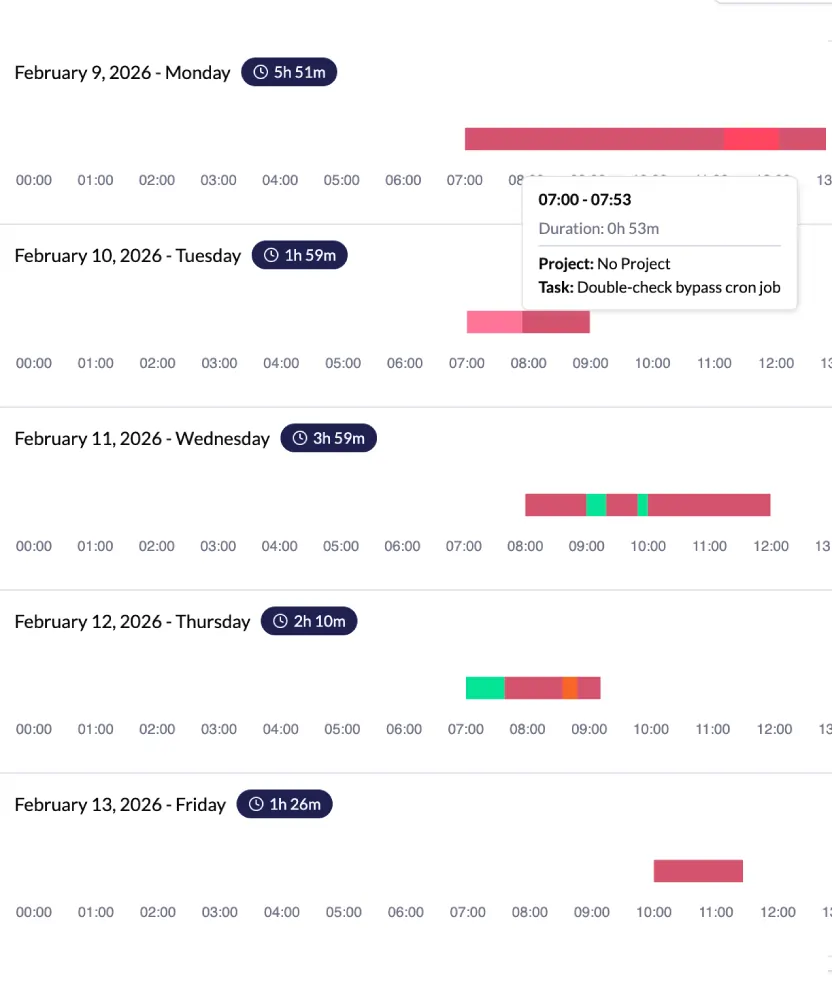
Managers view activity levels and optional screenshots to understand work progress and remove blockers quickly, providing transparent records for every task.
Track time automatically and sync data with accounting software.
Generate detailed timesheets for tasks, projects, and clients.
View reports showing hours worked, apps used, task level screenshots, and productivity percentage.
Set hourly or fixed pay rates for faster and accurate payments.
Create invoices accurately by filtering for ideal and active working time.
Analyze budgets, estimate costs, and manage resources with integrated data.
Monitor360 focuses on leadership needs. Connect QuickBooks through API integration for clear visibility of tracked work hours and accurate financial records.
Link Monitor360 and QuickBooks once to enable automatic syncing or export files in supported formats.
Employees log hours across devices including desktop and web.
Tracked time is sent to QuickBooks every hour to keep financial records updated.
Managers approve timesheets and use reports for payroll and billing decisions.
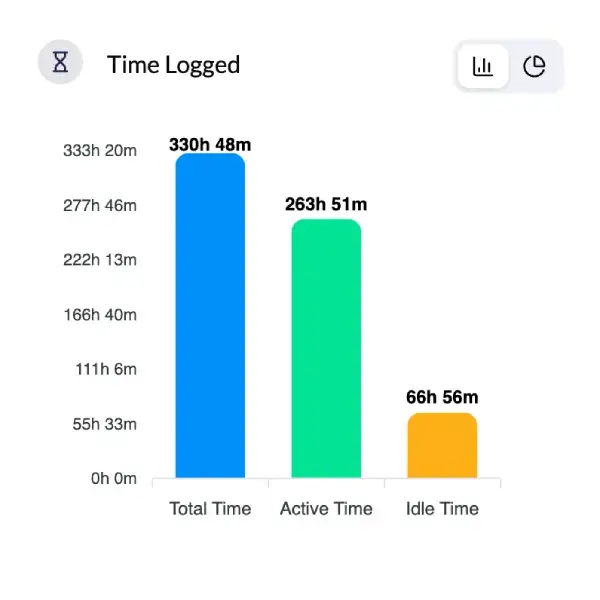
Monitor360 gives you real-time team visibility. You see work hours, idle time, activity levels, and app usage on a central dashboard so you always know what your team is doing throughout the day.
The system tracks activity live across users and devices. You get up‑to‑the‑minute data on employee actions and on‑screen work without manual effort.
Work hours, idle time, and breaks are logged automatically. You get accurate timesheet data for payroll and billing without manual tracking.
Monitor360 offers insight‑ready reports you can export. You get productivity summaries, trend data, and performance metrics for teams or individuals.
If a device goes offline, activity data still gets recorded and syncs automatically once the connection returns.
You see which apps and browser tabs employees use most. This helps you assess productivity patterns and identify underused tools.
You set how tracking works per user or globally, including screenshot frequency and idle thresholds.
Monitor360 lets you manage users and devices from one place. You add or remove devices and adjust tracking preferences easily.
Get quick answers on QuickBooks integration for time tracking with Monitor360.
Monitor360 tracks employee time accurately and sends data automatically to QuickBooks every hour. This keeps accounting records accurate and updated.
Yes. Monitor360 creates detailed timesheets for tasks and clients and allows export for desktop accounting systems.
Yes. Managers see activity levels and optional screenshots tied to tracked time for transparency.
We built Monitor360 to give leaders the clarity they need to succeed. Our mission is simple: transform productivity into performance with data-driven workforce insights.
530, West Gate 2,
Ayodhya Chowk, 150 Feet Ring Road Rajkot, Gujarat 360006.
131 South End, Croydon CRO 1BJ,
United Kingdom
Sales : +91 93288 25451
Sales : +44 7562 893296
