
 Workforce Management Integration
Talk to Your Workforce Data with the Monitor360 MCP Server
Ask questions in plain language and get live answers from Claude, Cursor, or ChatGPT pulled straight from Monitor360, no dashboards required.
Ask - Fetch - Act in Seconds
Connect in 60 Seconds!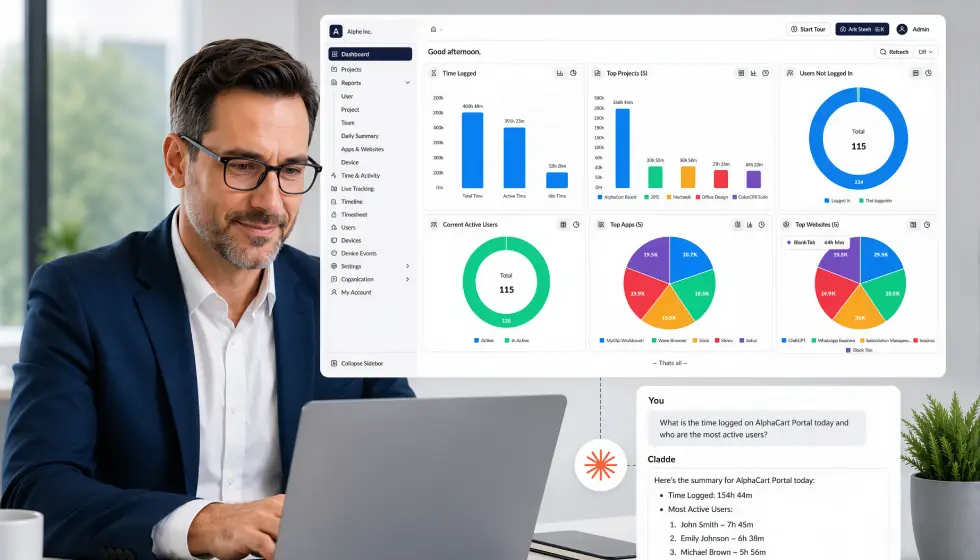
 AI-Native Monitoring
What Is the Monitor360 MCP Server?
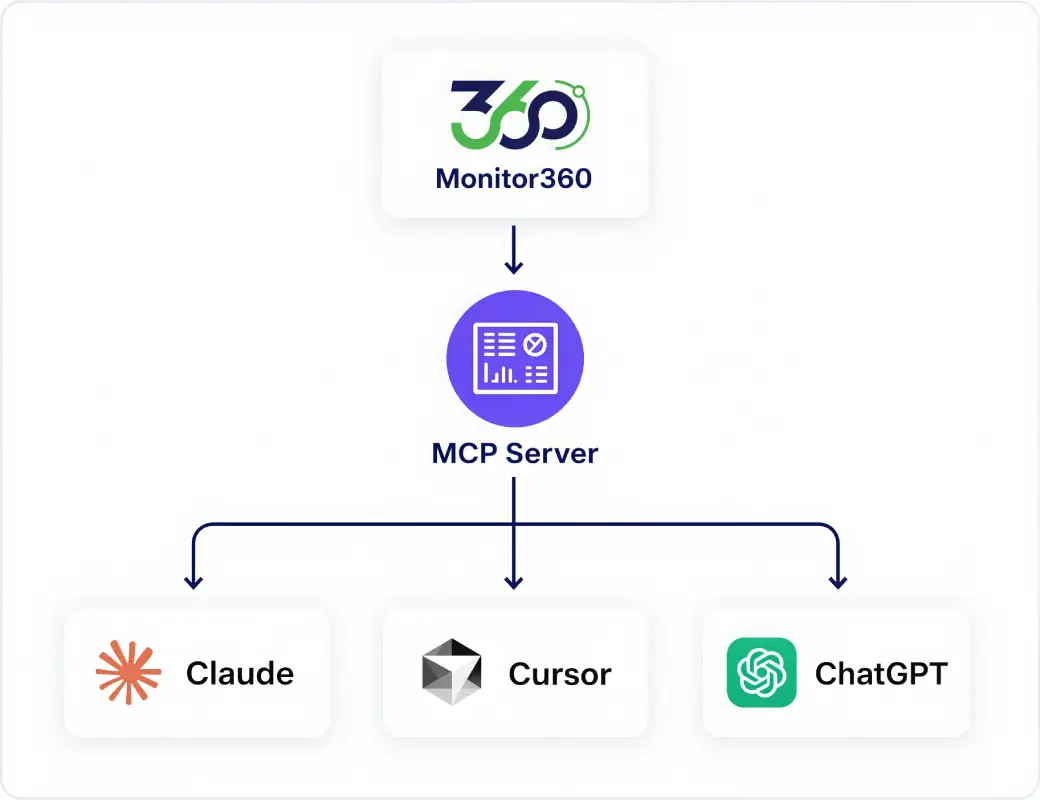
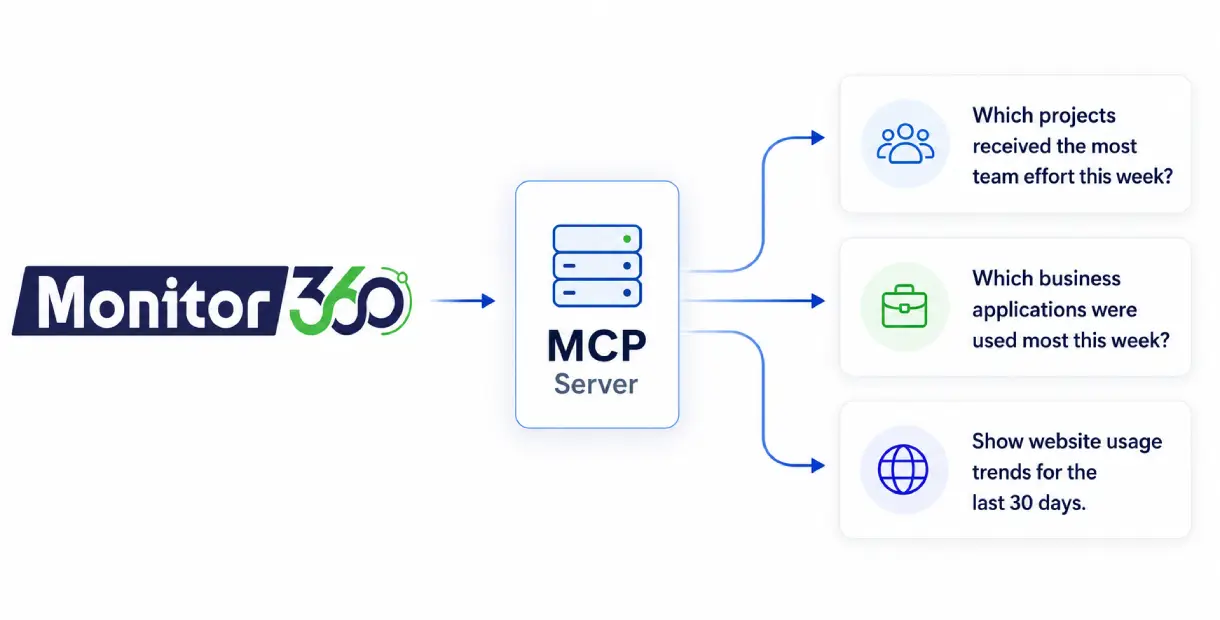
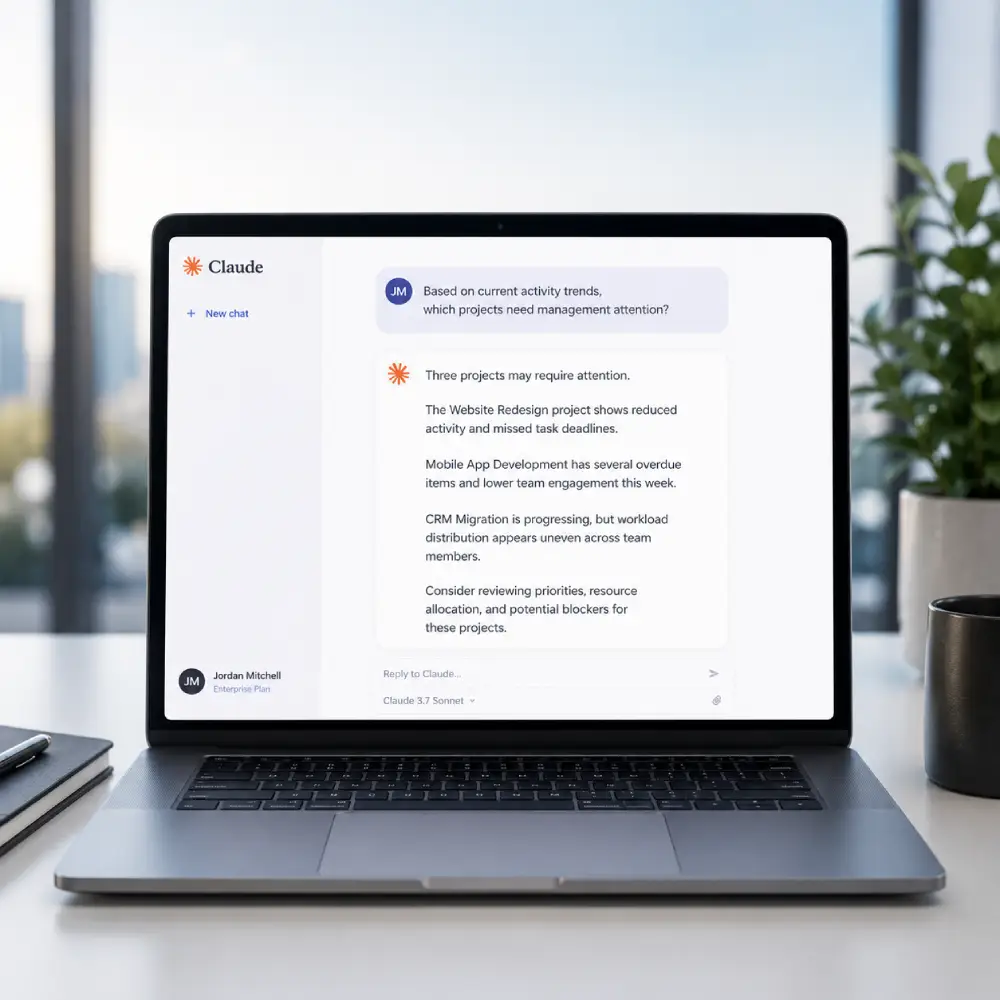
The Monitor360 Model Context Protocol (MCP) server allows AI assistants and other MCP-compatible clients to securely access employee performance data from your Monitor360 account. After connecting the MCP server to an AI tool such as Claude , cursor or chatgpt, you can ask questions in natural language about employee activity, attendance, productivity, applications & websites usage.
The MCP server provides read-only access. It can fetch and analyze monitoring data but cannot create, update, or delete any information in your account.
 Overview
What you can do with Monitor360 MCP Server?
Access employee monitoring data through AI tools like Claude. Get instant productivity, attendance, and workforce insights using simple prompts.

Access Employee Monitoring Data Instantly
Connect Claude and other MCP-compatible AI tools to Monitor360 and retrieve employee monitoring data using simple natural language prompts.

Get Productivity Insights Faster
Ask questions about employee productivity, active hours, work patterns, and engagement levels without searching through dashboards.

Generate Reports on Demand
Create productivity reports, attendance summaries, and employee performance overviews in seconds through AI-powered conversations.

Track Attendance and Work Hours
Review attendance records, login activity, and working hours directly from your AI assistant for faster workforce management.

Analyze Team Performance
Compare productivity across teams and departments, identify trends, and gain deeper workforce analytics from your Monitor360 data.

Investigate Insider Threats
Quickly identify suspicious activities such as USB device usage, unauthorized file access, policy violations, and other potential insider threats.
 How It Works
From Question to Answer in One Connection
Generate an API Key
Create a key from Settings → API Keys. This controls exactly what the connection can access.

Copy Your Server URL
Go to API Docs → MCP Server, paste in your key, and copy the generated Server URL.

Connect Your AI Tool
Paste the URL into Claude, Cursor, or ChatGPT's connector settings, then start asking.
 Leadership Benefits
Why Use the Monitor360 MCP Server
Get monitoring answers faster, without switching tools or waiting on manual reports.
-
Get Answers Without Opening a Dashboard
-
Reduce Time Spent on Manual Status Checks
-
Keep Context in the Same Conversation
-
Works With the AI Tool Your Team Already Uses
-
Fresh Data with Every Query
 Use Cases
Who Benefits Most from the MCP Server
Whether you're managing employee productivity, workforce operations, or security risks, the Monitor360 MCP Server helps you access critical insights through AI tools you already use.

HR Teams
Ask about employee productivity, attendance, and work patterns without manually generating reports or navigating dashboards.

Team Leads & Managers
Get quick summaries of team performance, active hours, and productivity trends to support day-to-day management decisions.

Security & Compliance Teams
Investigate insider threats, USB device activity, policy violations, and suspicious employee behavior using simple natural language queries.

Operations Teams
Access workforce analytics, attendance data, and employee activity insights faster to improve operational efficiency.

Business Owners & Executives
Receive plain-language summaries of workforce performance, employee engagement, and key trends without reviewing multiple reports.
Common Question about MCP Server Connector
Get clear answers on how to integrate and use the Monitor360 MCP server for AI tools.
The Monitor360 MCP Server works with Claude and other MCP-compatible AI tools. Simply connect the generated Server URL to start accessing employee monitoring data through AI.
You can retrieve employee productivity reports, attendance records, work hours, activity data, team performance metrics, and insider threat monitoring insights using natural language prompts.
Yes. Access is authenticated using your Monitor360 API key. Keep your Server URL private since it contains your API credentials and should be treated as sensitive information.
Yes. You can ask questions about USB device activity, suspicious employee behavior, policy violations, and other insider threat indicators stored in Monitor360.
No. Once connected, you can ask questions in plain English and receive workforce insights without writing queries or navigating complex reports.
Yes. You can create employee-wise and team-wise productivity reports, attendance summaries, and workforce analytics reports directly from your AI assistant.
Yes. The AI assistant retrieves the latest available data from your Monitor360 account whenever you submit a query.
Setup takes only a few minutes. Generate an API key in Monitor360, copy the MCP Server URL, and add it to your preferred MCP-compatible AI tool.
