
 Manufacturing Management
Improve Manufacturing Workforce Productivity with Employee Monitoring Software
Monitor360 helps manufacturing companies improve workforce productivity, monitor computer-based employee activities, manage shifts and gain AI-powered insights into employee performance.
No credit card required
Quick setup
 Shift Management

Time & Activity
- Active Users
- Active Time
- Idle Time

Time Tracking
- Total Time
- Check-In Time
- Check-Out Time
Device Events
- USB Connected
- USB Disconnected
- USB Blocked

Reports & AI Insights
- Daily Summary
- Team Report
- Sresh AI
 Challenges
The Challenges Manufacturers Face With Their Workforce
Manufacturing runs on tight schedules, shared plant computers and valuable intellectual property. Monitor360 solves these problems.

 Day
 Evening
 Night

No Clear View of Productivity Across Shifts
Managers can't be everywhere. Day, evening and night shifts perform differently, and without data it's hard to tell whether a slowdown is a people, process or tooling issue.


Time and Attendance Gaps
Manual registers and late-logged hours lead to payroll disputes, overtime leakage and unclear shift handovers.

Data Theft and Insider Risk
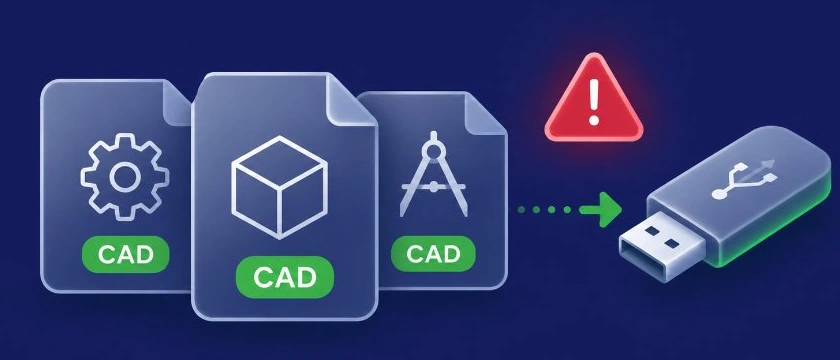
CAD drawings, BOMs, process sheets, supplier pricing and customer designs are your competitive edge. One USB drive or personal cloud upload is enough to lose them.


Unmanaged Plant Computers
Shared and older machines on the floor slow down, crash and go unpatched. Nobody notices until production waits on a PC.


Distractions and Non-Work Browsing
Engineers, planners and admin staff lose hours to non-work sites, and shop-floor terminals get used for things they shouldn't be.
Day
Evening
Night
No Clear View of Productivity Across Shifts
Managers can't be everywhere. Day, evening and night shifts perform differently, and without data it's hard to tell whether a slowdown is a people, process or tooling issue.
Time and Attendance Gaps
Manual registers and late-logged hours lead to payroll disputes, overtime leakage and unclear shift handovers.
Data Theft and Insider Risk
CAD drawings, BOMs, process sheets, supplier pricing and customer designs are your competitive edge. One USB drive or personal cloud upload is enough to lose them.
Unmanaged Plant Computers
Shared and older machines on the floor slow down, crash and go unpatched. Nobody notices until production waits on a PC.
Distractions and Non-Work Browsing
Engineers, planners and admin staff lose hours to non-work sites, and shop-floor terminals get used for things they shouldn't be.
 Monitor360 Capabilities
Everything You Need to Improve Manufacturing Workforce Productivity
Monitor360 combines workforce monitoring and intelligent analytics to help manufacturing businesses maintain better visibility and accountability.

Real-Time Activity Monitoring
See what each employee is working on across plant, engineering and office computers, so you can spot idle time and workload gaps as they happen.

Shift-Wise Attendance and Time Tracking
Track logins, active time and breaks against each shift, so payroll hours are accurate and overtime is controlled.

App and Website Usage Tracking
Classify usage as productive, neutral or unproductive, so you know where working hours go.

Productivity Reports by Department
Compare teams, shifts and plants, so you can rebalance workloads and fix low-output areas.

USB Device Detection and Blocking
Log every USB connection (who, which device, when) and block unauthorised storage devices, to stop file copying at the source.

Website Blocking
Restrict personal cloud storage, file-sharing and non-work sites, to cut both distraction and data-leak routes.

Device Audit Trail
Keep a searchable record of device and user events, so you have evidence for internal reviews and compliance checks.

Offline Activity Recording
Keep tracking when a plant computer loses its network and sync automatically on reconnect, so there are no data gaps on the shop floor.
 Security
, Compliance and Data Protection For Manufacturing Industry
Monitor360 helps keep your plant's data protected and access controlled.
Role-based access for Admin, User, HR and IT Team
MFA through Email OTP, an authenticator app or a passkey
Audit Logs that record changes across the workspace
API keys that are shown once and can be regenerated

Compliance Credentials






 Industry Use Cases
Built for the Different Teams Behind Manufacturing Operations
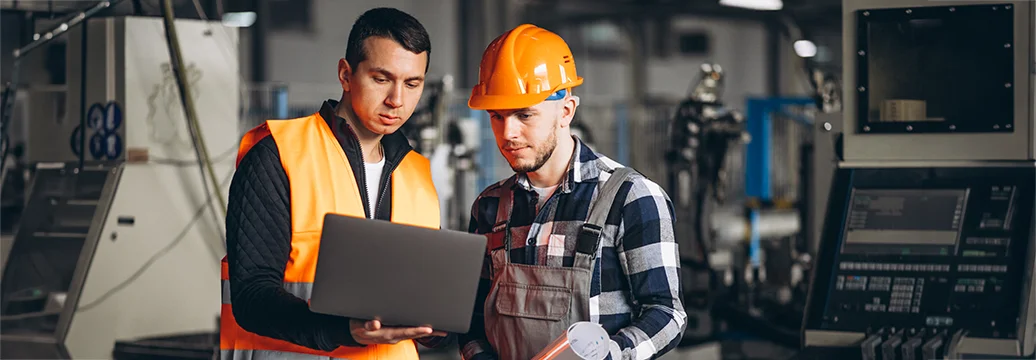
Manufacturing businesses depend on coordinated work across multiple departments. Monitor360 helps managers understand productivity and work patterns across computer-based roles.

Production Planning and Control (PPC)
Monitor activity across production schedules, planning documents and work orders.

Engineering and Design Teams
Track CAD software usage, project time and engineering workstation activity.

Quality Control and Documentation Teams
Monitor activity across quality documentation, inspection records and digital workflows.

Procurement, Stores and Inventory Teams
Track activity across procurement systems, purchase orders, supplier communication and inventory records.

Dispatch and Logistics Teams
Monitor shipment documentation, dispatch records and delivery coordination activities.

Accounts and Finance Teams
Gain visibility into accounting software, invoice processing and financial reporting activities.

HR, Sales and Administration Teams
Track employee activity, application usage and working hours across office and support functions.

IT Teams and Factory Managers
Manage company computers, monitor USB activity and review workforce productivity reports.
 Business Outcomes
Drive Better Workforce Efficiency Across Your Manufacturing Business
Monitor360 helps manufacturing leaders move beyond manual supervision and make more informed decisions using workforce data.
Improve Workforce Productivity
Identify inefficient work patterns and understand how employees spend working hours.


Increase Employee Accountability
Establish greater transparency around employee activity and work responsibilities.

Make Data-Driven Decisions
Use AI-powered reports and workforce trends to make informed management decisions.

Strengthen Data Security
Identify unusual digital behavior and gain greater oversight of company resources.
Frequently Asked Questions
Answers to common manufacturing workforce monitoring questions.
Yes, for staff who work on computers. Monitor360 tracks activity, time and apps on plant office PCs, engineering workstations and shared shop-floor terminals through its desktop app.
Group your apps and websites as Productive, Neutral or Unproductive, then review User, Team, Project and Daily Summary reports. Activity percentage is active time divided by total time, multiplied by 100.
Yes, for computer-based staff. It offers Timesheets, a daily Time and Activity view and shift-based reporting. It does not replace clock-in kiosks, payroll or machine-level labor tracking.
Yes. USB Detection logs connect and disconnect events, and USB Prevention blocks USB access. You can apply the settings globally or per user.
Yes. You can define shifts for each crew and track activity by department and designation. Track Outside Shift Hours is available when you need it.
No. Monitor360 tracks activity on computers and works alongside your MES or machine monitoring tools.
Yes. You can start free for up to 3 users, with all necessary features, for 6 months from registration. No credit card is required.
